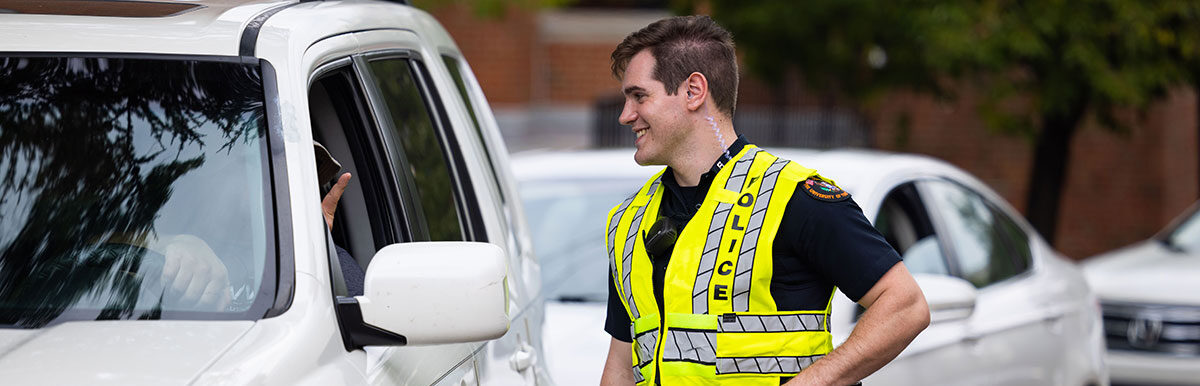
Move-in day is exciting! You get to set up your room, meet your RA and your roommate, and explore your new home away from home. Here are our top recommendations to make this day a success for you and your family.
Join the 2026 Move-in Information Alerts by texting ‘Smokey’ to 77295 to receive updates and weather alerts related to move-in this week.
Arriving on Campus
Arrive at your residence hall during your scheduled move-in appointment date and time that you selected in the University Housing Portal. Move-in appointments are set to help prevent long traffic jams and elevator waits.
Please do not arrive on campus to look around or attempt to check in before your designated move-in appointment.
Move-in traffic maps are available for each residence hall. From the buttons below, you have the option to download the VolPark app. Due to changes in traffic flow around campus during move-in, please use driving directions available via the VolPark app on your move-in day and/or follow the large directional signage when you arrive on campus. Note: Waze, Apple Maps, and Google Maps may provide incorrect directions.
Directions by Hall
Before you arrive
Know your residence hall. You will be directed based on whether you live in Beacon East or Beacon West.
Check-in Location: Check-in will be located in the courtyard between Beacon East and Beacon West.
Unloading Zone: Unloading will occur in the designated zone on Caledonia Ave., in front of Beacon Hall. Please stay in the designated line for Beacon and do not attempt to unload from another space on campus. Assistance is provided during most move-in days and appointment times.
Parking: Parking after unloading is located at Terrace Avenue and Lake Avenue Garage.
Getting to Beacon Hall to Move-In
Follow the VolPark app instructions. If not using the VolPark app, follow move-in signage on campus and expect to turn onto Caledonia Ave from Volunteer Blvd.
Traffic Note: 20th Street (southbound lane) will be closed during move-in hours. You will not be able to access Beacon Hall from Andy Holt Ave.
Before you arrive
Check-in Location: Check-in will occur at the Brown Hall front desk.
Unloading Zone: Unloading will occur in the fire lane in front of the building. Please stay in the designated line for Brown and do not attempt to unload from another space on campus.
Parking: Parking after unloading is located at the Volunteer Blvd Garage (G16). Additional parking is located at Terrace Avenue and Lake Avenue Garage.
Getting to Brown Hall to Move-In
Follow the VolPark app instructions. If not using the VolPark app, follow move-in signage on campus and expect to enter campus from Cumberland Ave and turn onto Melrose Place. Follow signage and instructions from staff.
Before you arrive
Check-in Location: Check-in will occur at the Clement Hall front desk.
Unloading Zone: Unloading will occur in the designated area on White Ave. Please stay in the designated line for Clement and do not attempt to unload from another space on campus.
Parking: Parking after unloading is located at White Avenue Garage.
Getting to Clement Hall to Move-In
Follow the VolPark app instructions. If not using the VolPark app, follow move-in signage on campus and expect to enter campus from 17th St and turn on White Ave. Follow signage and instructions from staff.
Before you arrive
Know your residence hall. You will be directed based on whether you live in Magnolia Hall or Dogwood Hall.
Check-in Location: Check-in will be located at the front desk of your residence hall.
Unloading Zone: Unloading will occur behind Dogwood Hall. Please do not attempt to park and unload outside of this area. Assistance is provided during most move-in days and appointment times.
Parking: Parking after unloading is located at the West Campus Garage.
Getting to Magnolia Hall and Dogwood Hall to Move-In
Follow the VolPark app instructions. If not using the VolPark app, follow move-in signage on campus and expect to enter campus from Volunteer Blvd and turn onto Andy Holt Ave.
Traffic Note: 20th Street (southbound lane) will be closed during move-in hours. You will not be able to access Magnolia Hall or Dogwood Hall from Caledonia Ave.
Before you arrive
Check-in Location: Check-in will occur on the ground floor of Geier Hall.
Unloading Zone: Unloading will occur on 20th St in front of Geier Hall and Robinson Hall in the designated area. Please do not attempt to park and unload outside of this area. Assistance is provided during most move-in days and appointment times.
Parking: Parking after unloading is located at Terrace Ave Garage and Lake Ave Garage
Getting to Geier Hall and Robinson Hall to Move-In
Follow the VolPark app instructions. If not using the VolPark app, follow move-in signage on campus and expect to enter campus from Volunteer Blvd and turn onto Andy Holt Ave.
Traffic Note: 20th Street (southbound lane) will be closed during move-in hours. You will not be able to access Geier Hall or Robinson Hall from Caledonia Ave.
Before you arrive
Check-in Location: Check-in will occur at the Hess Hall front desk.
Unloading Zone: Unloading will occur in the fire lane in front of Hess Hall. Please stay in the designated line for Hess and do not attempt to unload from another space on campus.
Parking: Parking after unloading is located at Terrace Avenue and Lake Avenue Garage.
Getting to Hess Hall to Move-In
Follow the VolPark app instructions. If not using the VolPark app, follow move-in signage on campus and expect to enter campus from Cumberland Ave and turn onto Melrose Place. Follow signage and instructions from staff.
Before you arrive
Check-in Location: Check-in will occur at the Poplar Hall front desk
Unloading Zone: Unloading will occur on 20th St in the designated area to the side of Poplar Hall. Please stay in the designated line for Poplar and do not attempt to unload from another space on campus. Assistance is provided during most move-in days and appointment times.
Parking: Parking after unloading is located at Terrace Ave Garage and Lake Ave Garage
Getting to Poplar Hall to Move-In
Follow the VolPark app instructions. If not using the VolPark app, follow move-in signage on campus and expect to enter campus from Volunteer Blvd and turn onto Andy Holt Ave.
Traffic Note: 20th Street (southbound lane) will be closed during move-in hours. You will not be able to access Poplar Hall from Caledonia Ave.
Before you arrive
Check-in Location: Check-in will occur at the front desk in the first-floor lobby.
Unloading Zone: Unloading will occur in the Volunteer Blvd G16 garage adjacent to Stokely. Park on any floors labeled commuter or non-commuter.
Parking: Parking and unloading will occur in Volunteer Blvd G16 garage.
Getting to Stokely Hall to Move-In
Follow the VolPark app instructions. If not using the VolPark app, navigate to the Volunteer Blvd G16 garage adjacent to Stokely Hall.
Traffic Note: Please enter Volunteer Blvd G16 Garage on the Pat Head Summitt side.
Before you arrive
Check-in Location: Check-in will be located at the front desk of Torchbearer Hall.
Unloading Zone: Unloading will occur in the designated zone on Volunteer Blvd, in front of Torchbearer Hall. Please stay in the designated line for Torchbearer and do not attempt to unload from another space on campus. Assistance is provided during most move-in days and appointment times.
Parking: August 9, move-in parking will be in Staff Lot 9, off of Peyton Manning Pass and Phillip Fulmer Way. August 10-14 move-in parking will be in Garage G10 off of Phillip Fulmer Way and street parking on Phillip Fulmer Way.
Getting to Torchbearer to Move-In
Sunday, August 9: Follow the VolPark app instructions. If not using the VolPark app, follow move-in signage on campus and expect to turn onto Volunteer Blvd from Joe Johnson Dr.
Traffic Note: Due an event happening at Thompson-Boling Arena at Food City Center on August 9 at 1pm and 7pm, you will not be able to access Volunteer Blvd via Lake Loudoun Blvd.
Monday, August 10 – Friday, August 14: Follow the VolPark app instructions. If not using the VolPark app, follow move-in signage on campus and expect to turn onto Volunteer Blvd from Lake Loudoun Blvd.
Apartment-style Halls
Before you arrive
Check-in Location: Check-in will occur at the Laurel Hall front desk.
Unloading Zone: Unloading will occur in front of Laurel Hall or behind the building in the surface lot. Please stay in the designated area for Laurel and do not attempt to unload from another space on campus.
Parking: Parking after unloading is located at Non-Commuter Lot 21 on Laurel Ave and Non-Commuter Lot 14 on 16th street.
Getting to Laurel Hall to Move-In
Follow the VolPark app instructions. If not using the VolPark app, navigate to Laurel Hall from 17th Ave to Laurel Ave.
Traffic Note: Laurel Ave is a one-way street. Plan your route accordingly.
Before you arrive
Check-in Location: Check-in will occur in the elevator lobby off of Clinch Ave.
Unloading Zone: Unloading will occur in the Volunteer Hall Parking Garage G15. Enter from Clinch Ave (not White Ave). Please stay in the designated area for Volunteer and do not attempt to unload from another space on campus.
Parking: Unloading and parking will occur in the Volunteer Hall Parking Garage G15.
Getting to Volunteer Hall to Move-In
Follow the VolPark app instructions. If not using the VolPark app, navigate to the Volunteer Hall Parking Garage G15.
Traffic Note: Enter the parking garage from Clinch Ave, NOT from White Ave.
Checking In
- Once you arrive at your residence hall unloading zone, enter your residence hall to check in. Follow directional signs to the residence halls check-in area or front desk, where University Housing Staff members will assist you through the check-in process.
- During check-in, you will be issued a key or access to your room assignment, receive your mailbox code, and any additional information. Residents will need their VolCard (student ID) to officially check in. Only the resident can be checked into their assigned space; family members and roommates cannot check into a room and receive access on behalf of a student.
- Please make sure all immunization paperwork has been submitted to the Student Health Center prior to arrival. Students without immunization paperwork will not be permitted to check in.
Unloading
You will have 30 minutes to unload your vehicle in the designated unloading zones of each residence hall. Please move your vehicle as soon as you are finished unloading so others may unload. Each unloading zone will have staff to help direct. After you unload, staff at your residence hall will direct you to move-in parking.
Please enter the unloading zone only one time.
For extended stays, shopping trips, or if you’re simply here to help and don’t have any items to unload, you should park in Terrace Avenue Garage or Lake Avenue Garage and avoid re-entering the unloading zone. You are encouraged to leave trailers and U-Hauls at home. If you do bring one, street parking is only available on Volunteer Blvd. near Andy Holt Ave.
More information about parking permits and visitor parking is available from UT Parking and Transportation.
Luggage Carts
After you check in, unload your belongings using the available moving carts. There will be limited luggage carts and/or moving bins available to check out during move-in, and you are encouraged to bring your own carts and bins as desired.
 Need a lift?
Try the golf cart valet!
Complimentary pick-up services are provided from the Lake Avenue garage and the Terrace Avenue garage during designated move-in dates and times. Let our staff give you a ride to your residence hall!
Pick Up Your Mail & Packages
Each residence hall has a post office in the lobby of the building for students to receive their mail. Students are given their post office box combinations at check-in. Each resident’s post office box number corresponds to their room number.
If you are mailing items before move-in, the residence halls will start accepting packages up to one week prior to your move-in appointment. Please do not mail items before this timeframe. You will be able to pick up any packages sent to the residence hall in the residence hall mailroom upon arrival. Each mailroom will have set hours during move-in and during the academic year. Please check your mail room hours upon arrival.
After move-in, packages are delivered to a central locker location on campus or to your residence hall mail room. For information on package pickup, visit upm.utk.edu/lockers/.
Listed below is an example of how to address mail to on-campus students:
Student Name
Street Address # (Room Number)
Knoxville, TN 37996
On-Campus Residence Halls
Beacon Hall East: 1901 Caledonia Ave, Knoxville, TN 37996
Beacon Hall West: 1905 Caledonia Ave, Knoxville, TN 37996
Brown Hall: 1817 Andy Holt Ave
Clement Hall: 1629 W. Cumberland Avenue
Dogwood Hall: 2113 Andy Holt Ave
Geier Hall: 858 Twentieth Street
Hess Hall: 1720 Melrose Place
Laurel Hall: 1615 Laurel Avenue
Magnolia Hall: 2107 Andy Holt Ave
Poplar Hall: 2103 Andy Holt Ave
Robinson Hall: 862 Twentieth Street
Stokely Hall: 1311 Lake Loudoun Blvd
Torchbearer Hall: 1600 Volunteer Blvd
Volunteer Hall: 1525 White Avenue
Lakemoor Station
Mail and packages can be picked up from the clubhouse.
Building A: 3104 Lakemoor Station Way Knoxville, TN 37920
Building B: 3176 Lakemoor Station Way Knoxville, TN 37920
Building C: 3164 Lakemoor Station Way Knoxville, TN 37920
Building D: 3116 Lakemoor Station Way Knoxville, TN 37920
Building E: 5408 Annandale Hills Way Knoxville, TN 37920
Building F: 5409 McCarrell Springs Way Knoxville, TN 37920
Building G: 5410 McCarrell Springs Way Knoxville, TN 37920
Building H: 3152 Lakemoor Station Way Knoxville, TN 37920
Office: 3101 Lakemoor Station Way Knoxville, TN 37920